# Keyword Audit

To further check the keyword presence on the important tags of your pages, such as Meta Title, Meta Description, etc, you can try the Keyword audit function. \
\
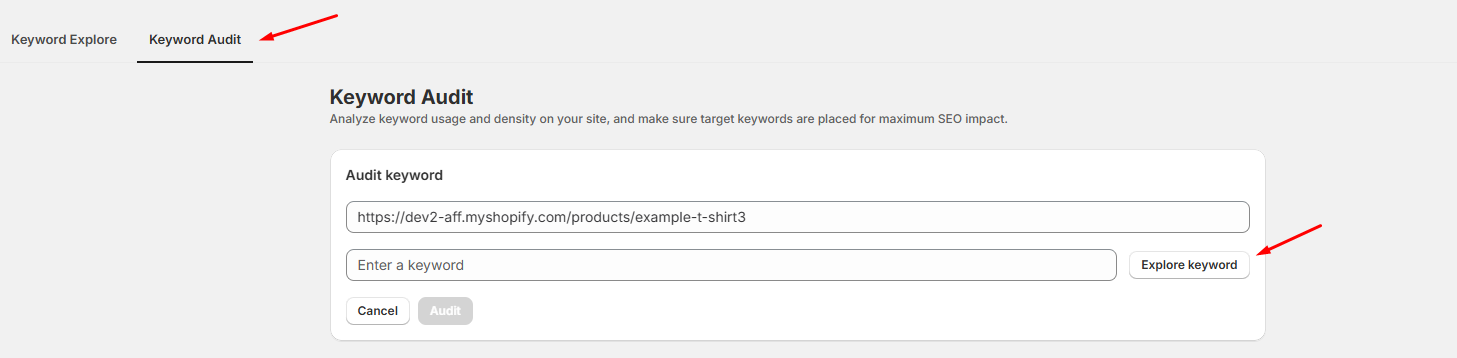
To use the **Keyword Audit** feature , you need to paste the **URL of your page** and **enter the keyword** that needs checking. \
\
In case if you don't know which keyword to enter, you can always click on the **Explore keyword** button that will take you to the Keyword Explore feature. There you can choose keyword base on Search Volume, Trend and Competition

<figure><img src="https://848413574-files.gitbook.io/~/files/v0/b/gitbook-x-prod.appspot.com/o/spaces%2F-Mb9oMrqO590_abBSvwF%2Fuploads%2FBtjvZGsjL6tUdl6xaYSz%2FScreenshot_8.png?alt=media&#x26;token=b9f8712a-b9a8-4e6b-92ca-094b3d2bc88e" alt=""><figcaption></figcaption></figure>

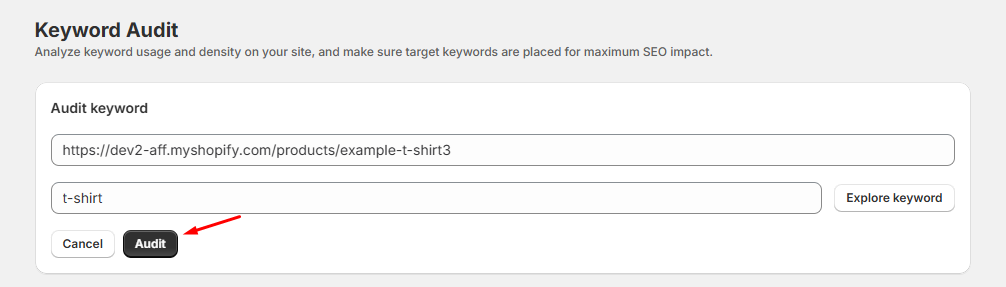
After entering the URL and keyword, click **Audit:**

<figure><img src="https://848413574-files.gitbook.io/~/files/v0/b/gitbook-x-prod.appspot.com/o/spaces%2F-Mb9oMrqO590_abBSvwF%2Fuploads%2FeEeUXfWteoQXXjlZpDtM%2FScreenshot_9.png?alt=media&#x26;token=de666769-e587-4e91-8563-0ac6c88a7828" alt=""><figcaption></figcaption></figure>

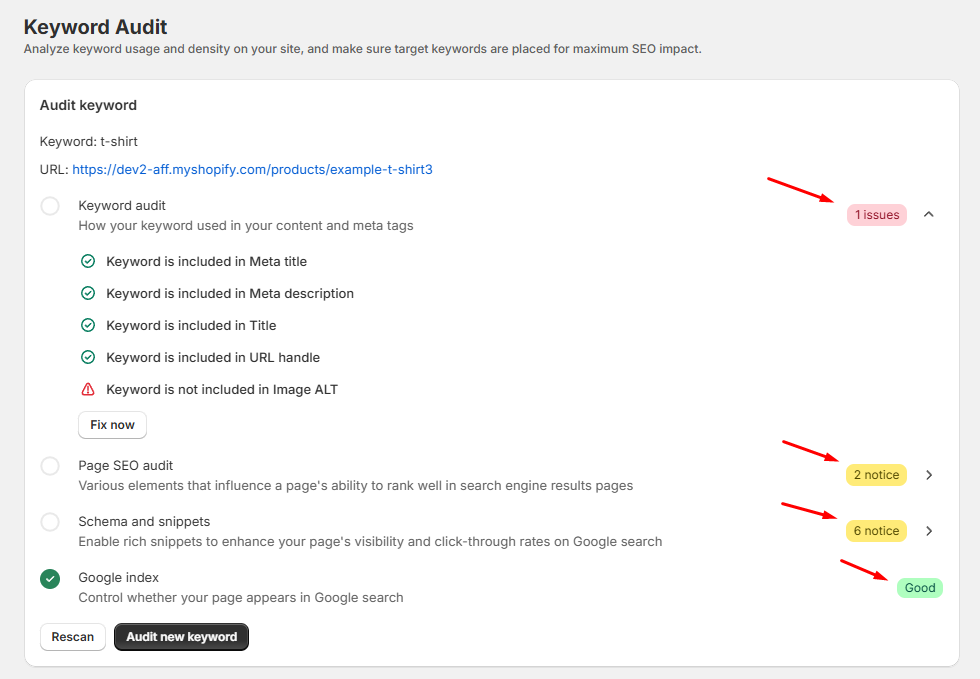
The result will be shown as follow:

<figure><img src="https://848413574-files.gitbook.io/~/files/v0/b/gitbook-x-prod.appspot.com/o/spaces%2F-Mb9oMrqO590_abBSvwF%2Fuploads%2FdXfiv7435VTuxSPyRbYa%2FScreenshot_10.png?alt=media&#x26;token=882a8ad7-e176-4ffe-96d7-f3073b3edd0e" alt=""><figcaption><p>Keyword Audit result.</p></figcaption></figure>

To have more information on the scan results, you can always click on the **dropdown arrow**. If you need help resolving or have any questions regarding the result, you can always **contact us for support.**<br>

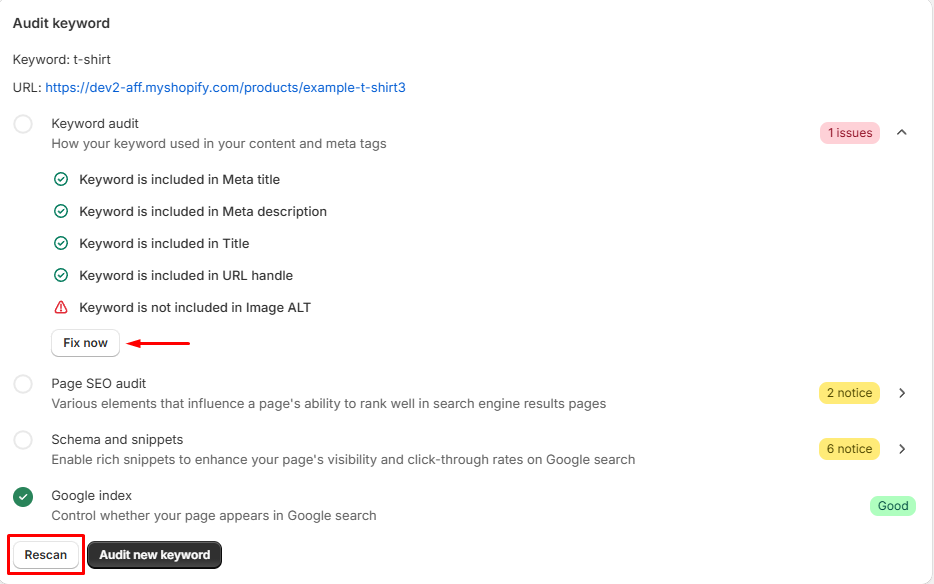
After fixing the issues/notices, you can click **Rescan** to see if they are resolved.

<figure><img src="https://848413574-files.gitbook.io/~/files/v0/b/gitbook-x-prod.appspot.com/o/spaces%2F-Mb9oMrqO590_abBSvwF%2Fuploads%2FGDA7WseLMZxFsLreQgSb%2FScreenshot_11.png?alt=media&#x26;token=c14aba14-3170-4d88-8bfe-d55ed2f82255" alt=""><figcaption></figcaption></figure>

To create a new keyword campaign, click on **Audit new keyword** and repeat the steps again to check:

<figure><img src="https://848413574-files.gitbook.io/~/files/v0/b/gitbook-x-prod.appspot.com/o/spaces%2F-Mb9oMrqO590_abBSvwF%2Fuploads%2FJD22ET6vNFHjyDnBlqgJ%2FScreenshot_12.png?alt=media&#x26;token=937b83c6-9d39-4043-96f2-89ca2c773b1a" alt=""><figcaption></figcaption></figure>

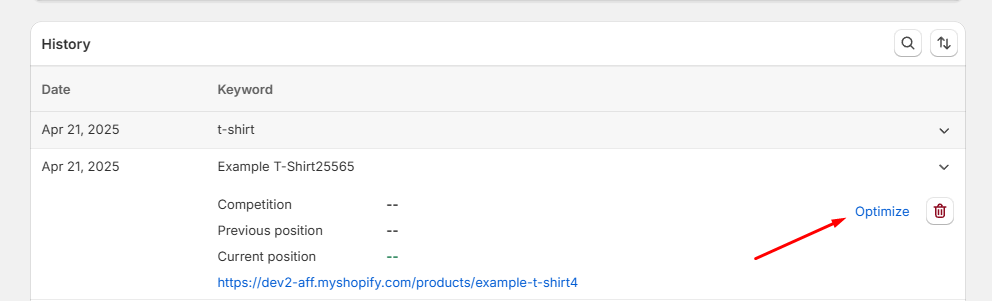
The History section will contain your past keyword campaigns. Whenever you want to come back to working on a campaign, click **Optimize:**

<figure><img src="https://848413574-files.gitbook.io/~/files/v0/b/gitbook-x-prod.appspot.com/o/spaces%2F-Mb9oMrqO590_abBSvwF%2Fuploads%2Fmvwavp9PwtP1yTY5wwGq%2FScreenshot_13.png?alt=media&#x26;token=679b07e1-5b1f-4e78-a1ce-4549dfd895ff" alt=""><figcaption></figcaption></figure>

If you want to remove the keyword campaign, you can click on the "trash" icon.&#x20;

<figure><img src="https://848413574-files.gitbook.io/~/files/v0/b/gitbook-x-prod.appspot.com/o/spaces%2F-Mb9oMrqO590_abBSvwF%2Fuploads%2FysUCHiJoP0KP4WXg5I35%2FScreenshot_14.png?alt=media&#x26;token=e7e49479-060e-4a74-b85c-ec931f538d24" alt=""><figcaption></figcaption></figure>